
When it comes to multi-tenant organizations, you think you’ve seen it all; until a new twist reminds you that there is always something complex beneath the surface. Recently, I encountered a fascinating issue that perfectly illustrates this point. Let’s dive into the adventure involving our two organizations: Contoso (The giant corp with 30,000 users) and Fabrikam (The nimble subsidiary with 3000 users)
The grand setup
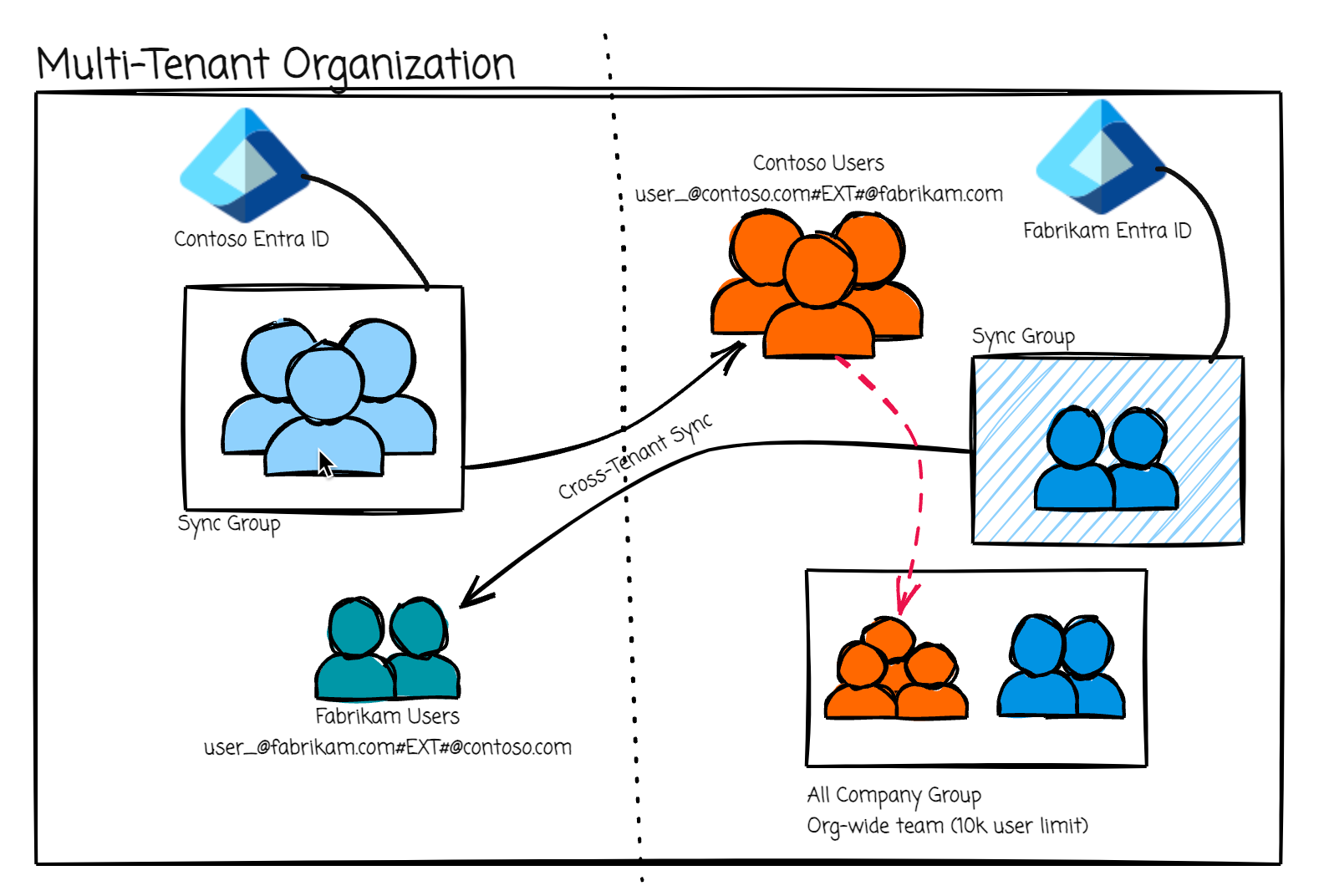
On July 31st, Contoso’s users were initially synced to Fabrikam via Microsoft’s Multi-Tenant Organization (MTO) and Cross-Tenant Sync (CTS). Everything was humming along nicely; users appeared where they should.
The unexpected twist
The influx of over 10,000 users from Contoso into Fabrikam caused Fabikam’s org wide “All Company” team to hit its membership limit (All Company Teams are created by default if your tenant has less than 5000 users). Remember, org wide teams max out at a total of 10,000 users (as of 2024-10) [Reference].
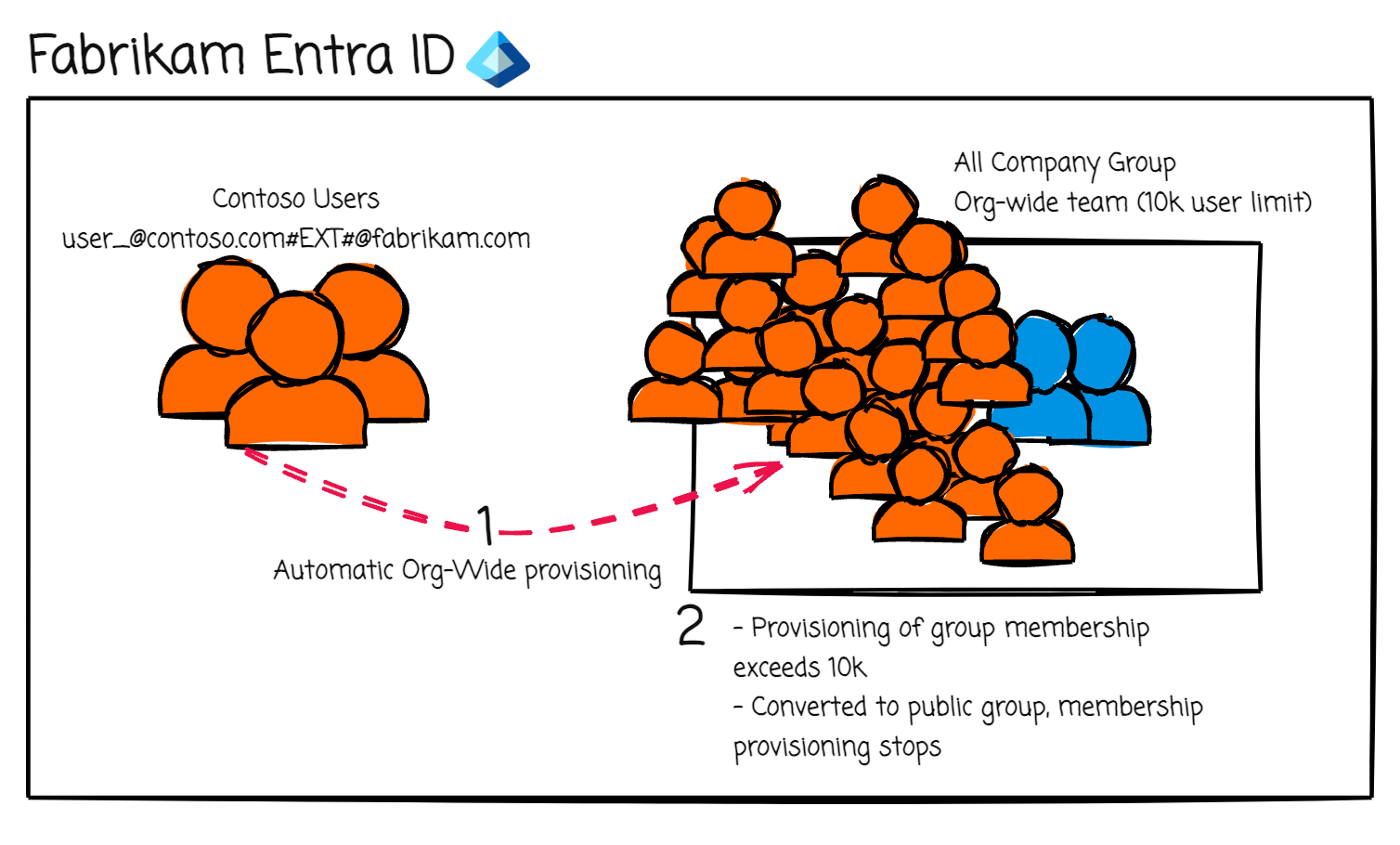
Fabrikam hadn’t anticipated the sheer volume of users syncing over, and the automatic group membership expansion threw a wrench into their communications and permissions setup. When an org wide team expands beyond 10,000 users it is automatically converted to a public group. Teams are front ends for the Microsoft 365 group.
The quick fix - Or so they thought
Realizing the issue, the Fabrikam swiftly acted. On August 4th, 4 days following the initial sync, they applied a dynamic rule to remove the now converted org wide groups members that are from Contoso. Crisis averted, or so it seemed.
Dynamic Rule Example:
user.userPrincipalName -notContains "_contoso.com#EXT#@fabrikam.com" and user.UserType -eq "Member"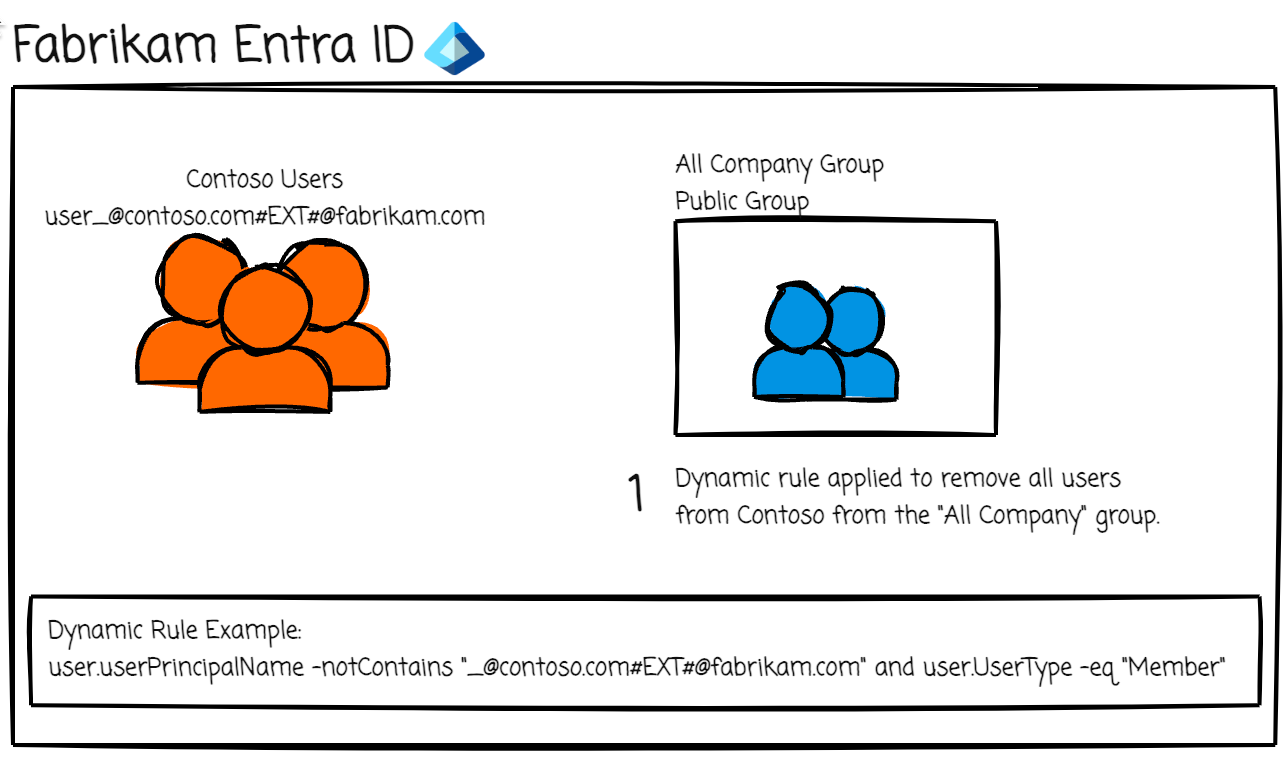
The hidden ripple effect
This is where things got interesting. Between the initial sync on July 31st and the cleanup on August 4th, Contoso had disabled some users (as they are a large organization, turnover is high - so not a rare scenario). When an external tenant disables (soft deletes) a user in their own tenant, the corresponding synced user in the partner tenant (in this case Fabrikam) gets put into a soft deleted state. After August 4th, some of these users were re-enabled on Contoso’s side (again, large org) Remember, before the group was cleaned up, these users were members of the org wide team/now converted to public group, and soft deleted users will not display as members of a team. So, due to the restore process in cross-tenant sync, the “removed” users were effectively resurrected in Fabrikam and, unexpected, but logically, re-enabled as members of the “All Company” group/team, even though Fabrikam had previously cleaned up the membership.
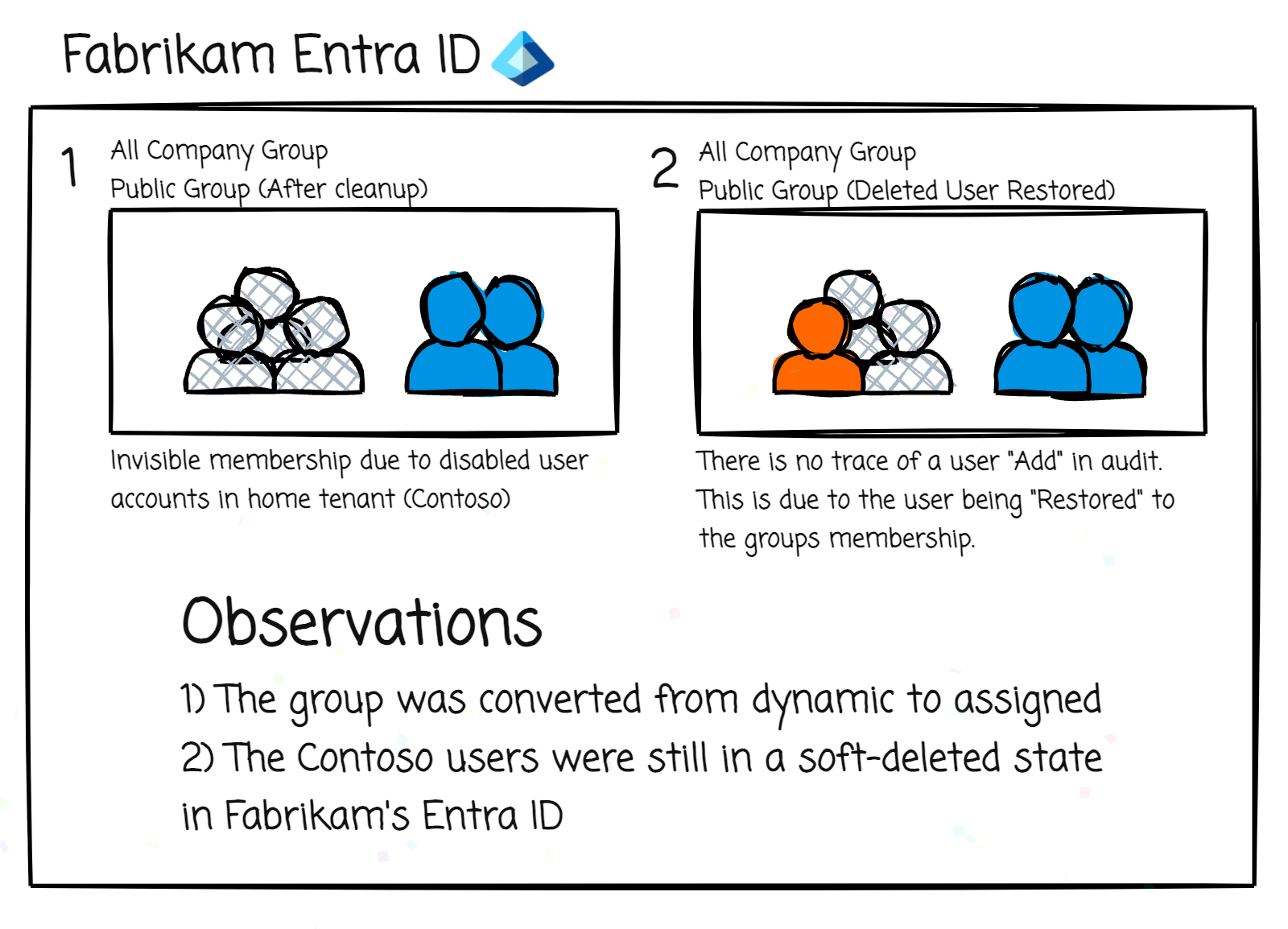
This process meant that every time a user was disabled and then re-enabled on Contoso’s side, they could potentially pop-up into Fabrikam’s “All Company” team/group, adding to communication compliance concerns. After some investigative work we pinpointed a robust solution and it’s surprisingly easy. Just permanently delete any soft-deleted users in the partner tenant. In this example, the fix was having Fabrikam delete all soft-deleted users in their tenant that contain _contoso.com#EXT#@fabrikam.com in their UPN. This ensures that if a deleted user in Contoso’s tenant gets re-enabled, the cross-tenant sync process will recreate the user with a new ObjectID ignoring any previous group memberships. This prevents the user from being “restored” to the “All Company” group/team.
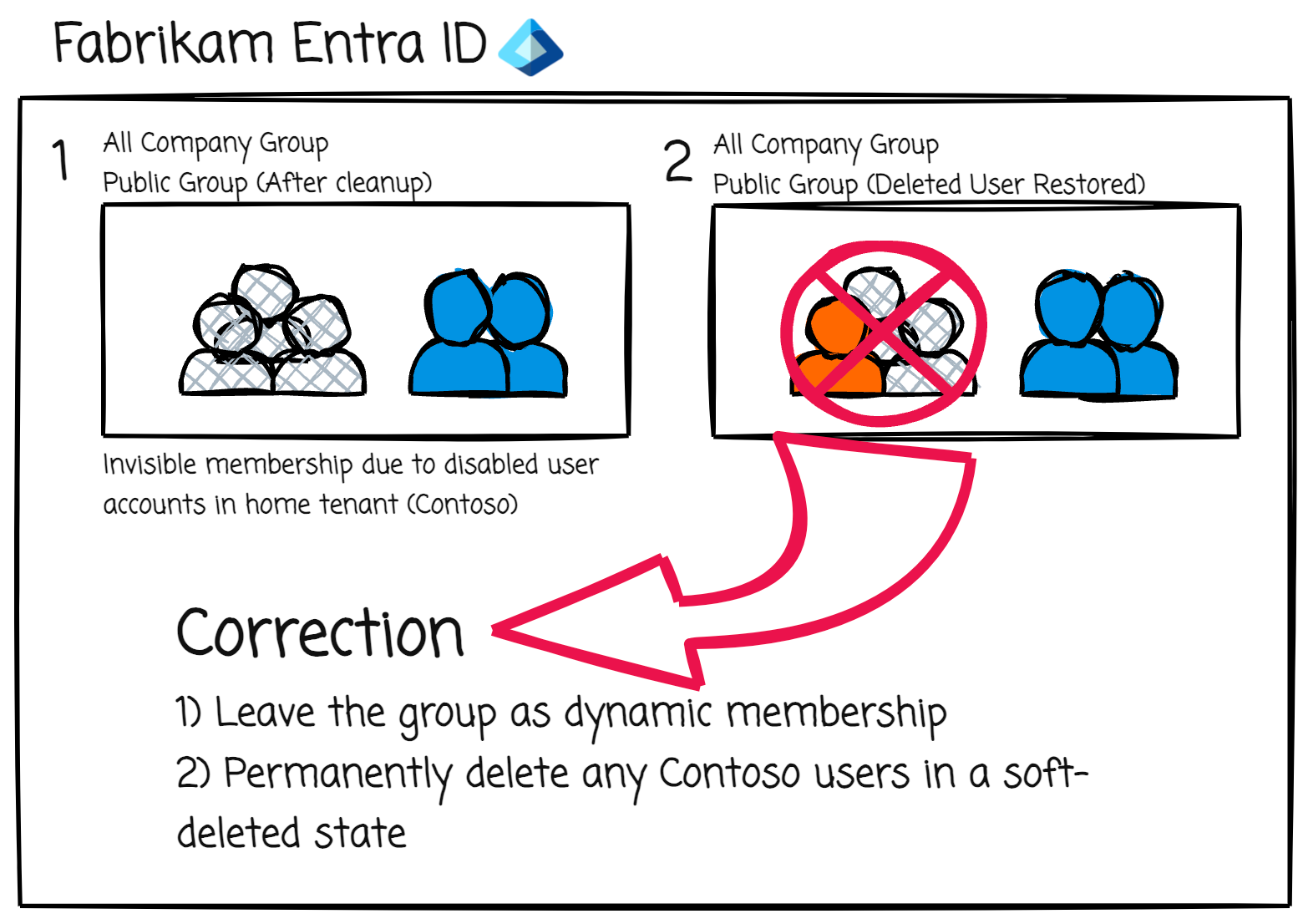
Hopefully you do not run into a similar situation in your organization(s), but, if you do, and you’re seeing similar oddities, double-check your soft-deleted users and do a cleanup. Complex systems can sometimes have unintended consequences.
Comments
Comments are powered by GitHub Discussions. Sign in with a GitHub account to join the conversation or react.